Back to Key Features
EDGAR HTML & ASCII Editors
Never have to look at a single line of HTML code
 |
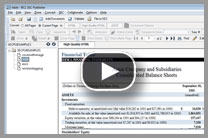
Export your EDGAR HTML back to MS Word format if you need to do major editing. Watch Demo |
SEC Publisher comes with the user-friendly editors for both EDGAR HTML and ASCII. Not only can you use these editors to touch up your EDGARized documents, you can even use them to create completely new content. The editors are totally integrated within SEC Publisher and seamlessly move you between view and edit modes. You will never have to go back and scrub your source document ever. Simply change whatever formatting you would like to change directly in the editor to produce high quality EDGAR HTML and clean ASCII output.
EDGAR HTML Editor
SEC Publisher’s EDGAR HTML editor is designed for users with no HTML experience. You will never have to look at a single line of HTML code.
SEC Publisher's HTML Editor allows you to view and edit your HTML document in various ways:
Design View for Standard-level editing
Using Design View is just like editing Word files in Microsoft Word®, the only difference is that you are editing HTML, not Word files. Design View offers the easiest way to edit your document. The content during editing looks just like it would look in the final document. You don’t see any code, but you can perform editing that you are used to doing in Microsoft Word®, including very advanced table manipulation functions.
Code View for Expert-level editing
Using Code View allows you to edit the underlying HTML code of your document. If you are well versed in HTML coding and are comfortable writing and editing HTML, we offer you the expert level EDGAR Code Editor. The code editor has extensive color coding for the identification of each tag and content, and comes with a code integrity checker. If your HTML code does not meet SEC’s standards, we will automatically detect it.
Split View for Expert-level editing
Using Split View allows you to see both Design View and the Code View at the same time. These two windows are always in sync with each other and you can edit in either window. The other window is automatically updated.
SEC Publisher’s HTML editor not only allows you to edit and modify your code, but also allows you to create your own content. You can insert new content by simply cutting and pasting from a different source. You can insert images or tables from scratch. You can also resize images and tables within the editor by simply pointing and dragging with your mouse.
And rest assured about the HTML you create using our EDGAR HTML editor - anytime you edit your HTML, and then try to save it, we will automatically run a validation function to make sure that your code is SEC EDGAR compliant.
EDGAR ASCII Editor
SEC Publisher’s EDGAR ASCII editor is an advanced and user-friendly EDGAR ASCII editor that was designed for users with no previous EDGAR ASCII experience.
SEC Publisher’s ASCII editor not only allows you to edit and modify your ASCII filings, it also allows you to create your own content. You can insert new content by simply cutting and pasting from a different source.
And rest assured about the ASCII you create using our EDGAR ASCII editor - anytime you edit your ASCII, and then try to save it, we will automatically run a validation function to make sure that your code is SEC EDGAR compliant.
 |
SEC Publisher is so user-friendly, I was preparing filings on the first day I received it. It was very easy to learn and when I did have a question, the customer service response was timely and easy to understand. Thanks! |
|
| - Penny Graham, Calvert Investments |
 |
|
Video Tutorials
Watch how easy it is to use SEC Publisher for your next filing projects
Contact Information
- Phone: 1-888-814-4421 (toll-free)
- Email: info@secpublisher.com
Section 16
- We also have Section 16 filing software. Contact us for more information.
Our Clients
SEC Publisher is the EDGARizing software of choice for leading:
|
SEC Publisher gives us the freedom to use a wide variety of different document formats and it exports simple, yet highly effective SEC-Compliant HTML" |
| - Jesse Schooff, Automated Filing Services, Inc. |
|