Key Features
Seamless Interoperability with MS Word

Prepare and Make Major Changes Directly in MS Word
Leverage MS Word's familiar interface to prepare and make major changes to your filing documents. Watch Demo

Direct Import of Word
Word document is added with a little touch up. No Copy and Paste necessary. View conversion samples.

Export EDGAR HTML Documents Back to Word for Proofing
Export your work back to MS Word format for easy reviewing and proofing. Watch Demo
Improved Table Handling

Handle Un-Formatted Tables
Automatically convert un-formatted tables to properly formatted tables in Word using our macro. Watch Demo

Handle Financial Tables
Automatically convert HTML tables into HTML financial tables.

Handle Embedded Excel Tables
Handle embedded Excel tables better.
Adding Documents

Projects
Users can add multiple documents.

Import All Other Documents
Users can import any document without Copy and Paste. View conversion samples.

Copy and Paste from Word
Small changes can be copied from Word.

Convert to EDGAR-Compliant HTML
The EDGAR code is completely valid. No post conversion is necessary. View conversion samples.
Editor


Page Oriented Editing
Enables faster operation.
Edit Native HTML
Experienced users can tweak HTML code.

Spell Checker
It corrects spelling mistakes in the Editor.
Financial Table Formatter
It can easily format tables for filling.

Customizable Table Template
Applies consistent formatting to tables.

Copy and Paste between documents
Contents between the documents are shared easily.
Copy and Paste from Word
Parts of Word documents can be easily copied and pasted.
Validator

Checks HTML for EDGAR Compliance
Accurate Filing.

Descriptive Validation Error Messages
Allows you to quickly fix errors.
Filing

Integrated Filing
Allows you to file without leaving SEC Publisher.
Filing Proof
You can view what filing will look like on SEC web site.

Mix and Match Documents
You can decide which documents to include in filing.
Collaboration

 |
SEC Publisher is so user-friendly, I was preparing filings on the first day I received it. It was very easy to learn and when I did have a question, the customer service response was timely and easy to understand. Thanks! |
|
| - Penny Graham, Calvert Investments |
 |
|
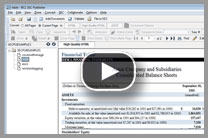
Video Tutorials
Watch how easy it is to use SEC Publisher for your next filing projects
Contact Information
- Phone: 1-888-814-4421 (toll-free)
- Email: info@secpublisher.com
Section 16
- We also have Section 16 filing software. Contact us for more information.
Our Clients
SEC Publisher is the EDGARizing software of choice for leading:
|
SEC Publisher gives us the freedom to use a wide variety of different document formats and it exports simple, yet highly effective SEC-Compliant HTML" |
| - Jesse Schooff, Automated Filing Services, Inc. |
|